

Apple has released iOS 26 Beta 2 and while it’s got some nice improvements over the first developer beta, it also raises questions about daily use and broader compatibility. From a slicker Liquid Glass interface to Control Center updates and early peeks at Apple’s next-gen intelligence features, Beta 2 has a lot to offer—but it’s not for everyone.
Liquid Glass Gets a Tune-Up
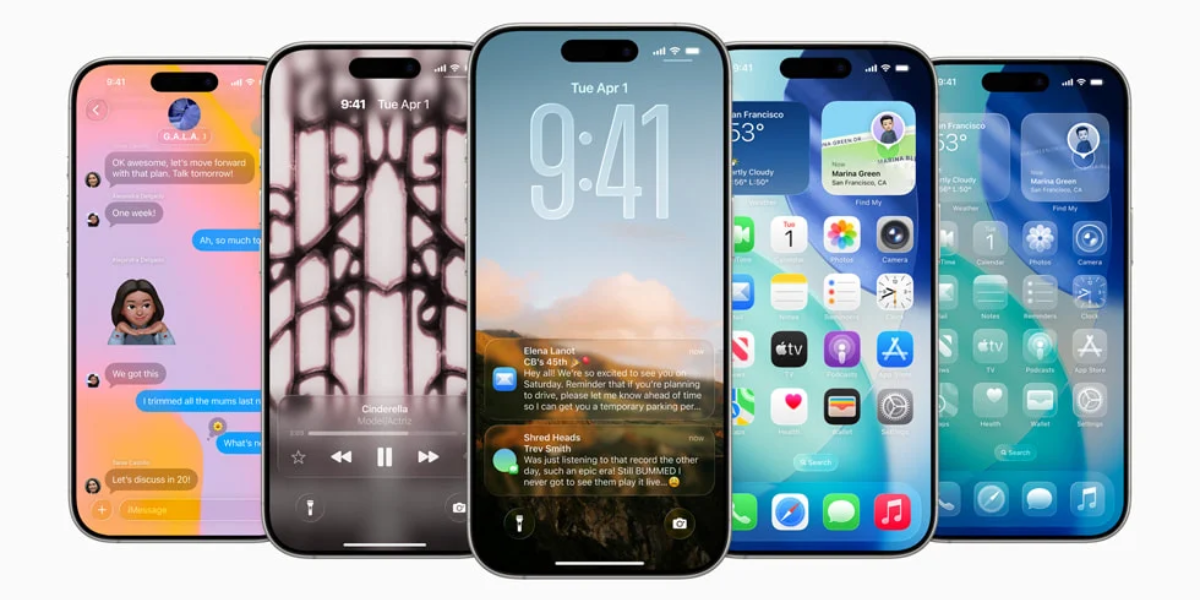
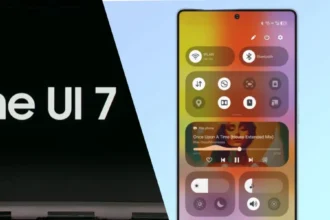
The standout visual of iOS 26, the Liquid Glass design language, has gotten some much needed tweaks. Users—especially creators like @MKBHD—complained about legibility in the first beta. Apple has responded with refinements that make the Control Center and notification shade more readable, balancing style with substance.
New visuals shared by MacRumors and Brandon Butch show side-by-side comparisons, with improved contrast and clearer toggles, especially in low light. The updated look is futuristic but still grounded.
Control Center & Recovery Assistant See Big Gains
Beyond visuals iOS 26 Beta 2 has smarter tools, including a redesigned Control Center that’s more organized and customizable. One nice addition is the Recovery Assistant—a feature that helps you restore your device or settings if something goes wrong, especially during software updates or resets.
Also added is order tracking in the Wallet app, so you can keep track of your deliveries without switching apps—something iPhone users have been asking for.
But It’s Not for Everyone… Yet
Despite the shiny surface and new features, iOS 26 Beta 2 has some limitations:
- It’s still a developer beta. That means bugs, UI glitches and app incompatibilities are part of the package. This is for developers to test and optimize—not for average users to use daily.
- Apple Intelligence isn’t widely available. Unless you have a 15 Pro, 15 Pro Max or the upcoming iPhone 16 series, you’ll miss out on most of the new AI features like Visual Look-Up, on-screen search and other smart tools. iPhone 14 or earlier users won’t see much of this.
- Battery and thermal issues persist. Several testers have reported heating issues and faster battery drain even with casual use. While Apple has improved performance and background task handling, these fixes are not consistent across older iPhone models.
What Should You Do?
If you’re a developer or tech enthusiast with a supported device, Beta 2 is a look into the future of iOS. But for everyone else, wait. A Public Beta is expected in mid-July 2025 with broader compatibility and fewer bugs. The final release will be in September with the next iPhone.

🔍 iOS 26 Beta 2: Key Features at a Glance
| Feature | Details |
|---|---|
| Design Update | Refined Liquid Glass interface, better Control Center readability |
| New Tools | Recovery Assistant, Order Tracking in Wallet |
| Performance | Improved thermal management, but some battery issues remain |
| Apple Intelligence | Available only on iPhone 15 Pro, 15 Pro Max, and newer models |
| Device Compatibility | Best suited for developers with the latest iPhones |
| Public Beta Release | Expected by mid-July 2025 |
| Full Release Timeline | Stable version expected with iPhone 16 launch in September 2025 |
| Known Issues | UI glitches, overheating, battery drain, missing AI features on older devices |
Final Thoughts
iOS 26 Beta 2 is good—but only if you’re in the Apple dev circle. With some nice visual changes and new features, Apple is definitely building the future of the mobile OS. Just don’t go in unless you’re ready to live on the edge.